
1. The Moment You Realize All Bi-Color LEDs Are Not Created Equal
If you are reading this, you have moved past the casual browsing phase. You are likely holding a bill of materials, a production target, and a growing suspicion that the bi color LED market is far more complex than any supplier catalog suggests. You have seen the conflicting datasheets — one vendor lists a component as “common anode,” another ships “common cathode” under the same generic description. You have read forum threads where engineers discover their entire inventory is incompatible with their PCB design only after soldering begins.
This guide exists to give you the technical comparison framework that most catalogs omit. No marketing fluff. No vague reassurances. Just the specifications, trade-offs, and procurement red flags that determine whether your dual-color LED implementation succeeds on the production line or becomes a rework nightmare.
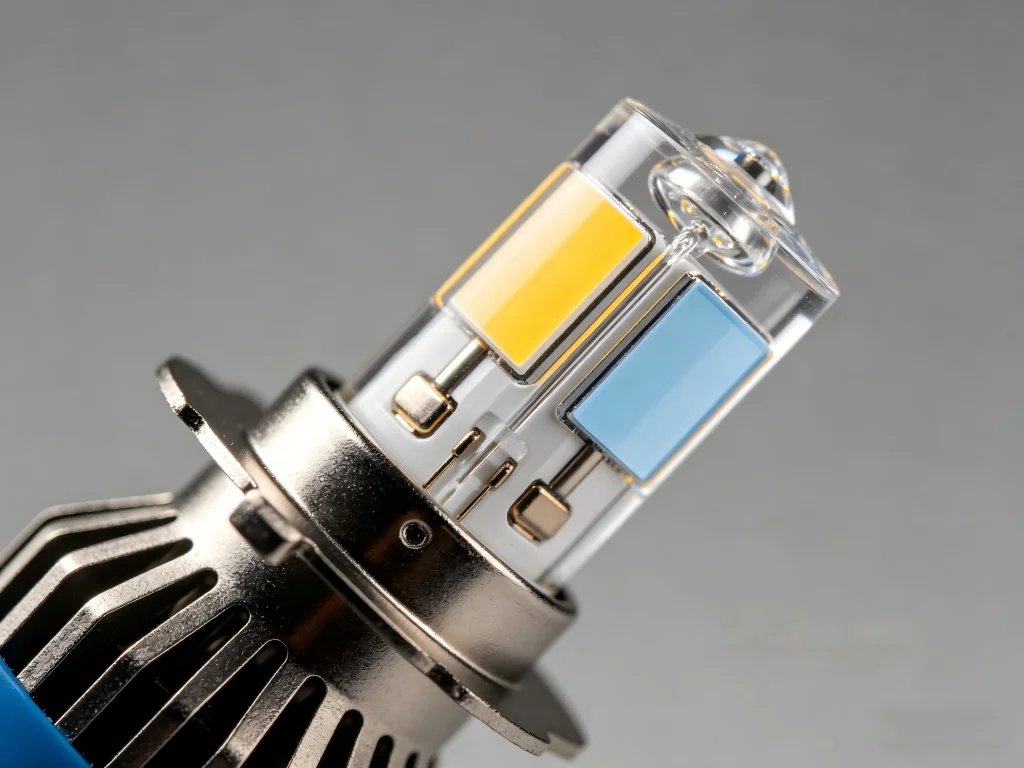
2. -Pin vs 3-Pin Bi-Color LEDs: The Architecture Decision That Shapes Everything
إجابة مباشرة: A 2-pin bi-color LED uses two emitter dies wired antiparallel (anode-to-cathode) inside one package, meaning current direction determines which color lights up and only one color can be active at a time. A 3-pin bi-color LED gives you independent control of both color channels through a shared common terminal, allowing both colors to be driven simultaneously for a third blended output. Your choice between them determines your entire drive circuit architecture.
2.1. How 2-Pin Bi-Color LEDs Actually Work
A standard 2-wire bi-color LED contains two LED chips connected back-to-back — the anode of the first die connects to the cathode of the second, and vice versa. The color of light emitted depends entirely on which direction current flows through the device.[reference:22] If your design uses a red-green pair, applying positive voltage to lead A and negative to lead B lights red. Reversing the polarity lights green. In this configuration, only one LED can be on at a time. You cannot blend. You cannot create amber.
The 2-pin architecture is elegant in its simplicity. It uses minimal PCB real estate. It requires only two traces. It is the preferred choice for simple on/off status indicators where the circuit already includes a polarity-reversing mechanism — such as a DPDT switch or an H-bridge driver. However, the resistor challenge is non-trivial. With only two pins, a single resistor cannot target two different forward voltages. Engineers on Train.com forums have addressed this by using asymmetrical bypass networks: placing a regular diode in series with one resistor leg to create separate current paths for each color.[reference:23] This works, but it increases component count and board complexity.
2.2. How 3-Pin Bi-Color LEDs Unlock Design Flexibility
Three-lead bi-color LEDs are fundamentally two independent LEDs sharing a single substrate, with either the anodes or cathodes tied together at the common pin. This configuration gives you three critical advantages over 2-pin designs:
First, independent resistor selection. Because each color channel has its own dedicated lead, you can size current-limiting resistors independently. A red channel (Vf ≈ 1.85V) on a 5V supply gets a different resistor than a green channel (Vf ≈ 2.2V) on the same supply. This eliminates the brightness mismatch that plagues 2-pin implementations.
Second, simultaneous dual-color operation. Applying forward voltage to both color channels at once produces additive color mixing. A red-green 3-pin LED driven on both anodes outputs amber — a third visual state without adding a third LED to the BOM. This is why Dialight’s 3-leaded bi-color panel indicators are widely adopted in industrial control systems: one component delivers three distinct status signals.[reference:24]
Third, simplified drive circuitry. A 3-leaded bi-color LED with independent anodes (or cathodes) can be driven directly by microcontroller GPIO pins or simple transistor switches without the polarity-reversal logic that 2-pin devices demand.
| Feature | 2-Pin Bi-Color LED | 3-Pin Bi-Color LED (Common Cathode) | 3-Pin Bi-Color LED (Common Anode) |
|---|---|---|---|
| Simultaneous dual-color | Not possible | Yes — blended third color | Yes — blended third color |
| Independent brightness control | Complex — requires bypass diodes | Straightforward — separate resistor per channel | Straightforward — separate resistor per channel |
| Drive method | Polarity reversal (H-bridge or DPDT switch) | Positive voltage to each anode; cathode to ground | Ground each cathode; anode to positive rail |
| Microcontroller compatibility | Requires 2 GPIO pins with polarity logic | 2 GPIO pins, active-high drive | 2 GPIO pins, active-low drive (sinking) |
| PCB trace count | 2 traces | 3 traces | 3 traces |
| Typical applications | Direction indicators, polarity indicators | Status panels, consumer electronics, MCU-driven indicators | Legacy DCC decoders, guitar pedal circuits |
| Procurement risk | Low — polarity is fixed | Medium — verify common cathode before ordering | Medium — many suppliers default to common cathode; verify explicitly |
3. SMD vs Through-Hole Bi-Color LEDs: Manufacturing Reality vs Prototype Convenience
إجابة مباشرة: Through-hole bi-color LEDs are simpler for manual assembly and prototyping but consume significant board space and require drilled PCB holes. SMD bi-color LEDs enable automated pick-and-place manufacturing, dramatically smaller footprints, and superior thermal performance — but demand reflow soldering capability and careful moisture sensitivity handling (typically MSL 3).
Through-hole (TH) bi-color LEDs — typically in 3mm or 5mm round packages — remain popular for hobbyist projects, one-off builds, and applications where the LED must protrude through a front panel. Their long leads provide mechanical flexibility for panel mounting, and they are trivially easy to hand-solder. The 3mm bi-color LED with common cathode 3-pin configuration is a staple of model railroad signaling and DIY audio equipment.[reference:25]
However, through-hole components come with serious manufacturing limitations at scale. They require pre-drilled PCBs. They cannot be placed by surface-mount pick-and-place machines without special tooling. Their epoxy lens housings — while durable — create a thermal bottleneck that limits sustained current handling compared to SMD alternatives with direct thermal paths to the PCB copper pour.
SMD bi-color LEDs solve these problems at the component level. Kingbright’s APGB0607 series exemplifies the state of the art: 0.65mm × 0.65mm footprint, 0.25mm thickness, 140° viewing angle, and operation at just 5mA forward current.[reference:26] These miniature 0202 bi-color SMD LEDs come in blue-green, blue-red, and green-red combinations, with each color individually drivable through a 4-pin package. For space-constrained designs — wearables, medical implants, smartphone components — this is the only viable option.
The manufacturing trade-off is real. SMD bi-color LEDs carry a Moisture Sensitivity Level rating of 3, meaning they require controlled storage conditions and may need baking before reflow if exposed to ambient humidity beyond specified limits. Refond’s 1206 bi-color chip LEDs similarly specify MSL 3 compliance.[reference:27] Skipping this step riskspopcorning during reflow — microscopic cracks in the epoxy package that cause latent field failures.
| المعلمة | Through-Hole Bi-Color LED | SMD Bi-Color LED |
|---|---|---|
| Typical sizes | 3mm, 5mm round; 2mm × 5mm rectangular | 0202, 0402, 0603, 0805, 1206 |
| Assembly method | Manual soldering or wave soldering | Pick-and-place + reflow soldering |
| PCB real estate | Large — requires drilled holes and annular rings | Minimal — 0.65mm × 0.65mm for 0202 packages |
| Thermal path | Through leads to PCB traces | Through solder pads to copper plane |
| Viewing angle | Typically 30°–60° (narrow, focused) | Up to 140° (wide, diffuse) |
| Moisture sensitivity | Generally not rated | MSL 3 — requires humidity-controlled storage |
| الأفضل لـ | Prototypes, panel mounts, hobby builds, low-volume | High-volume production, space-constrained designs, automated assembly |
4. Common Cathode vs Common Anode: The Specification That Breaks Entire Production Batches
If you take nothing else from this guide, take this: always verify the common pin configuration before purchasing bi-color LEDs in volume. Entire production runs have been halted because a procurement order specified “red-green bi-color LED” without confirming whether the PCB was designed for common cathode or common anode.
A GuitarPCB community thread documented this failure mode with painful clarity. A builder installed a bi-color LED on a PCB designed for common anode — but his purchased batch was common cathode. The LED did not light. The pedal circuit worked perfectly, but the status indicator remained dark. “I actually didn’t know there were two different types,” the builder admitted.[reference:28] He is far from alone.
4.1. When to Choose Common Cathode
Common cathode bi-color LEDs are the more widely available configuration in the market. In this design, both LED dies share a common negative terminal, and each color is activated by applying positive voltage to its respective anode. This aligns naturally with most microcontroller GPIO drive schemes — microcontrollers typically source current (drive high) more readily than they sink current (drive low).
Common cathode also simplifies the drive logic for 3-state indicators. The common pin connects to ground. GPIO pin 1 drives the red anode. GPIO pin 2 drives the green anode. Both pins high = amber. Simple, predictable, and compatible with 3.3V and 5V logic levels with appropriate current-limiting resistors.
4.2. When Common Anode Makes Sense
Common anode bi-color LEDs are less common in general distribution but appear frequently in specific domains: DCC (Digital Command Control) model railroad decoders, certain guitar effects pedal PCB designs, and legacy industrial equipment where the switching logic was built around sinking current to ground rather than sourcing it.
The key advantage of common anode in these applications is that it permits switching the cathodes to ground through a single-pole switch or transistor — a simpler switching architecture when the control signal is ground-referenced. As one pedal builder explained: “Using common anode, you just switch each cathode to ground with one pole.”[reference:29]
Common anode configurations also tend to appear in higher-voltage DC circuits (12V–24V) common in automotive and industrial environments, where the switching transistor’s voltage rating is less of a concern on the low side.
5. Bi-Color vs RGB: When Flexibility Costs You More Than It Delivers
A procurement decision that frequently trips up first-time buyers is choosing between bi color LED and RGB LED solutions. The marketing for RGB is seductive: 16 million colors, endless creative effects, one component that does everything. But RGB brings hidden costs that a pure bi-color solution avoids.
First, power efficiency. In bi-color mode, both LED dies operate near their native color temperature sweet spot — typically 4500K–5500K — where conversion efficiency peaks. RGB LEDs, when mixed to produce white light, must drive all three channels simultaneously, with each channel operating away from its peak efficiency. Saturated RGB modes can introduce a power penalty of approximately 25% compared to standard bi-color modes at similar perceived brightness.[reference:30]
Second, color rendering quality. Bi-color fixtures crossfade between daylight and tungsten LEDs, both of which use broad-spectrum phosphors that produce smooth spectral power distribution with few gaps. RGB fixtures create white light by mixing narrow-band red, green, and blue emitters — producing CRI values that often fall below 80. As one industry analysis noted, “RGB provides great saturated colors but does not render whites well.”[reference:31] For any application where illuminated objects must appear natural — retail displays, medical examination lighting, product photography — RGB cannot match bi-color performance.
Third, circuit complexity. A 3-pin bi-color LED requires two GPIO pins and two resistors. An RGB LED requires three GPIO pins (or a dedicated driver IC), three resistors or a constant-current driver, and potentially PWM-capable outputs for color mixing. The firmware complexity escalates accordingly.
The decision framework is straightforward:
- Choose bi-color when: Your application needs variable white color temperature (warm-to-cool adjustment), high CRI color rendering for natural object appearance, or simple 2–3 state status indication with minimal drive electronics.
- Choose RGB when: Your application requires saturated decorative colors, dynamic color-changing effects, or user-customizable ambient lighting where color accuracy is secondary to visual impact.
6. Bi-Color LED Panel Lights: What the Lux Ratings Do Not Tell You
For buyers evaluating bi color LED panel و bi color LED video light products, the spec sheet numbers can mislead. A fixture advertising 78,000 lux at 1 meter sounds impressive — but if that measurement was taken at the fixture’s native color temperature (typically around 4400K, where both LED sets contribute equally), the output at 3200K or 5600K may be significantly lower.
This phenomenon is well-documented. A daylight-only LED fixture consistently outperforms its bi-color counterpart at any given color temperature because all emitters contribute to the output at all times. In a bi-color panel, at the 5600K endpoint, roughly half the emitters (the tungsten LEDs) are driven at minimal current or completely off, effectively halving the available luminous area.[reference:32] The Litepanels Astra family comparison illustrates this: 5790 lux from the daylight-only fixture versus 4577 lux from the bi-color version at the same 5600K setting — a 21% output penalty.[reference:33]
For procurement decisions in professional video and photography, demand these specifications from your bi color LED video light supplier:
- Lux at multiple CCT points: Minimum lux at 3200K, 4400K, and 5600K, all measured at 1 meter with the same reflector or modifier.
- CRI and TLCI across the CCT range: A fixture that delivers CRI 97 at 5600K may drop to CRI 92 at 3200K. Both numbers matter.
- Green-magenta shift specification: Premium fixtures like the Nanlite Forza 300 II Bi-color specify a green-magenta shift of ±80 across the entire 2700-6500K range.[reference:34] If a supplier cannot provide this measurement, assume the shift is uncontrolled.
- Flicker performance at high frame rates: For video applications, the fixture must maintain flicker-free output at frame rates up to 400fps or higher for slow-motion work.
7. Questions Every Procurement Manager Should Ask Before Placing a Bi-Color LED Order
7.1. How do I specify a bi-color LED without accidentally ordering the wrong polarity?
Your purchase order must state three things beyond the part number: (1) the common terminal configuration — explicitly “common cathode” or “common anode,” not just “bi-color”; (2) the color combination required, using datasheet-standard wavelength ranges (e.g., “red 620-630nm / green 520-530nm”); and (3) the package type and pin count. A purchase order that reads only “bi-color LED, red-green” is an open invitation for the wrong parts to arrive. If the datasheet is not publicly available before ordering, find a different supplier.
7.2. What is the difference in lifespan between a bi-color LED and a single-color LED of the same package type?
When properly driven, there is no inherent lifespan difference between a bi-color LED and a single-color LED. Both typically achieve L70 ratings of 50,000 to 100,000 hours. However, bi-color LEDs introduce a practical failure mode not present in single-color designs: if one channel is consistently driven harder than the other (due to resistor mismatch or different duty cycles), that channel ages faster, causing color balance to drift over the fixture’s service life. For mission-critical applications where color consistency matters over years of operation, specify aging-matched binning from the LED manufacturer.
7.3. Can I use a single current-limiting resistor for both channels of a 3-pin bi-color LED?
You can, but you should not expect balanced brightness. A single resistor placed on the common pin limits total current but cannot compensate for the different forward voltages of the two LED dies. The result is channel-level brightness mismatch. For visually balanced dual-color output, use separate resistors on each independent channel lead (the non-common pins), calculated individually using Ohm’s Law for each channel’s Vf at the target If. This is one of the most frequently overlooked details in hobbyist and even professional PCB designs.
7.4. What environmental ratings should I look for in bi-color panel indicators?
For indoor control panels in climate-controlled environments, standard panel-mount bi-color indicators with an operating range of -20°C to +60°C may suffice. For outdoor, marine, industrial washdown, or automotive applications, demand IP67 minimum (dust-tight and protected against temporary water immersion) and an operating temperature range of -40°C to +85°C. Dialight’s 657 series and 658 series bi-color indicators meet these specifications and carry NEMA 4X certification for corrosive environments.[reference:35] For direct automotive exterior applications, verify the supplier can provide IP 6K9K compliance documentation — this is the standard for components exposed to high-pressure steam cleaning.
7.5. Is a bi-color LED always the best choice for a status indicator panel?
Not always. If your status panel needs only two visual states (on/off, normal/alert), a single-color LED with a blinking pattern may be simpler, cheaper, and less prone to procurement issues. Bi-color LEDs earn their place when three distinct visual states are required from a single indicator position — for example, green (normal operation), amber (standby or warning), and red (fault condition). The 3-pin bi-color LED with independent channel control achieves this with one component. For applications requiring more than three states, consider RGB LEDs with a microcontroller driver, accepting the additional firmware and power complexity that comes with that choice.
8. Building a Supplier Relationship That Protects Your Production Line
The difference between a bi-color LED that performs flawlessly for a decade and one that fails within months is rarely visible on a spec sheet. It lives in the manufacturing consistency — the forward voltage binning tolerance, the phosphor deposition uniformity, the wire bond quality control, the epoxy cure process control.
At GTR, our 18 years of LED manufacturing experience and 30,000 m² production facility enable us to offer what generic component distributors cannot: application-specific technical validation before your order ships.[reference:36] Whether you are integrating bi color LED SMD components into a high-volume consumer electronics product, specifying bi color LED panel indicators for industrial control cabinets, or developing a bi color LED video light for professional broadcast use, our engineering team works upstream of procurement to verify electrical compatibility, thermal margins, and regulatory compliance.
We serve over 80 global partners with OEM and ODM solutions that include custom CCT tuning, proprietary lens design, and full certification support for ECE, SAE, and DOT standards in automotive applications.Contact our technical sales team with your specifications — voltage range, target color temperatures, packaging requirements, and expected annual volume — and receive a complete feasibility assessment within two business days.
A wrong bi-color LED order costs more than the invoice price of the components. It costs production downtime. It costs rework labor. It costs your engineering team’s credibility with stakeholders. Make the procurement decision once, correctly, with a supplier who verifies before they ship.